Store Groups Tab
The Promotions Setup screen is used to set up promotional pricing at point-of-sale.
Menu Path: Customer, Account Maintenance, Account Pricing, Promotions Setup, Promotions Setup screen
.png) Promotional Overview - 6 minutesPromotional Overview - 6 minutes
Promotional Overview - 6 minutesPromotional Overview - 6 minutes
Promotions Configuration - 6 minutesPromotions Configuration - 6 minutes
Campaign Setup - 4 minutesCampaign Setup - 4 minutes
Adding Promotions - 6 minutesAdding Promotions - 6 minutes
Promotions Basic Setup - 5 minutesPromotions Basic Setup - 5 minutes
Promotions Advanced Settings - 5 minutesPromotions Advanced Settings - 5 minutes
BOGO Pkg Setup - 4 minutesBOGO Pkg Setup - 4 minutes
Qty Break Single Item - 6 minutesQty Break Single Item - 6 minutes
Tender Coupon - 5 minutesTender Coupon - 5 minutes
Promotions Proration Pricing - 4 minutesPromotions Proration Pricing - 4 minutes
Invoicing Promotions 1 of 2 - 6 minutesInvoicing Promotions 1 of 2 - 6 minutes
Invoicing Promotions 2 of 2 - 5 minutesInvoicing Promotions 2 of 2 - 5 minutes
Invoicing Promotional Coupons - 6 minutesInvoicing Promotional Coupons - 6 minutes
Reporting Promotions - 6 minutesReporting Promotions - 6 minutes
The 'Store Groups' tab is used to assign promotions to the different store groups.
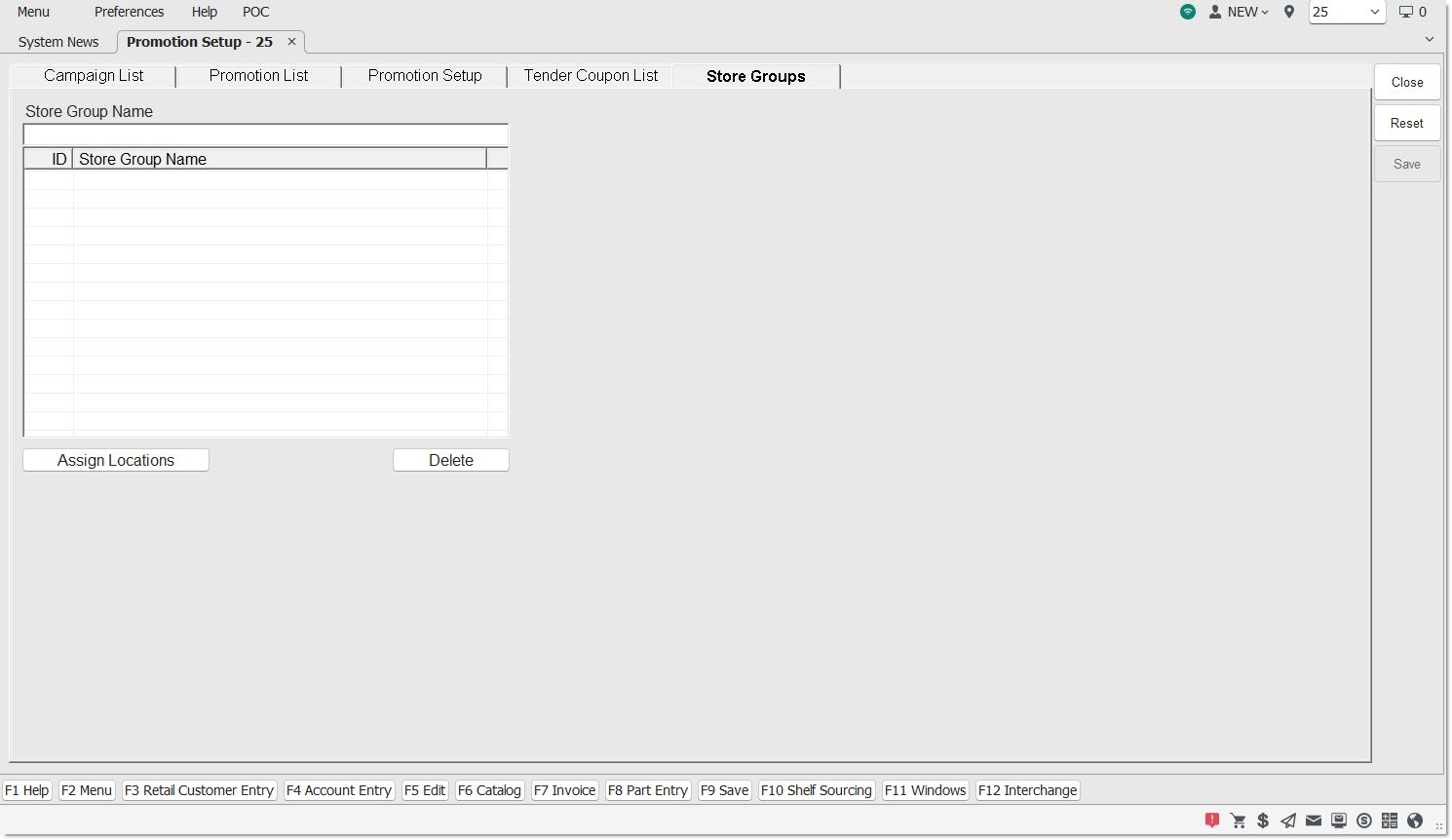
Store Group Name
Enter an unlimited number of names in this field made of up to 50 alphanumeric and special characters to represent a store group name, which will appear in the grid.
Note: Store group names cannot be duplicated.
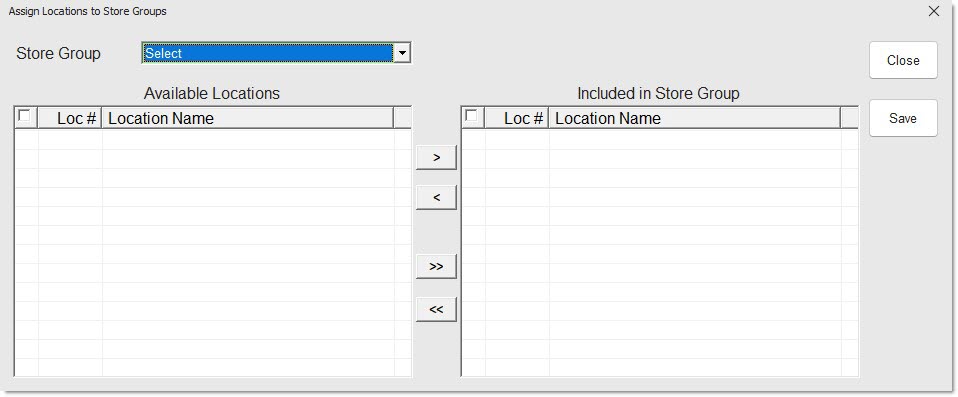
Assign Locations
When clicked, opens the 'Assign Locations to Store Group' window allowing the assigning of stores to the "promotional" store group.
Delete
Highlight a row in the grid and click the 'Delete' button and the store group is deleted.