Parts Tab
The 'Parts' tab is used to import a PO or RO from a file, such as a spreadsheet.
Menu Path: Purchasing, Order Create, Order Create screen, 'Parts' tab
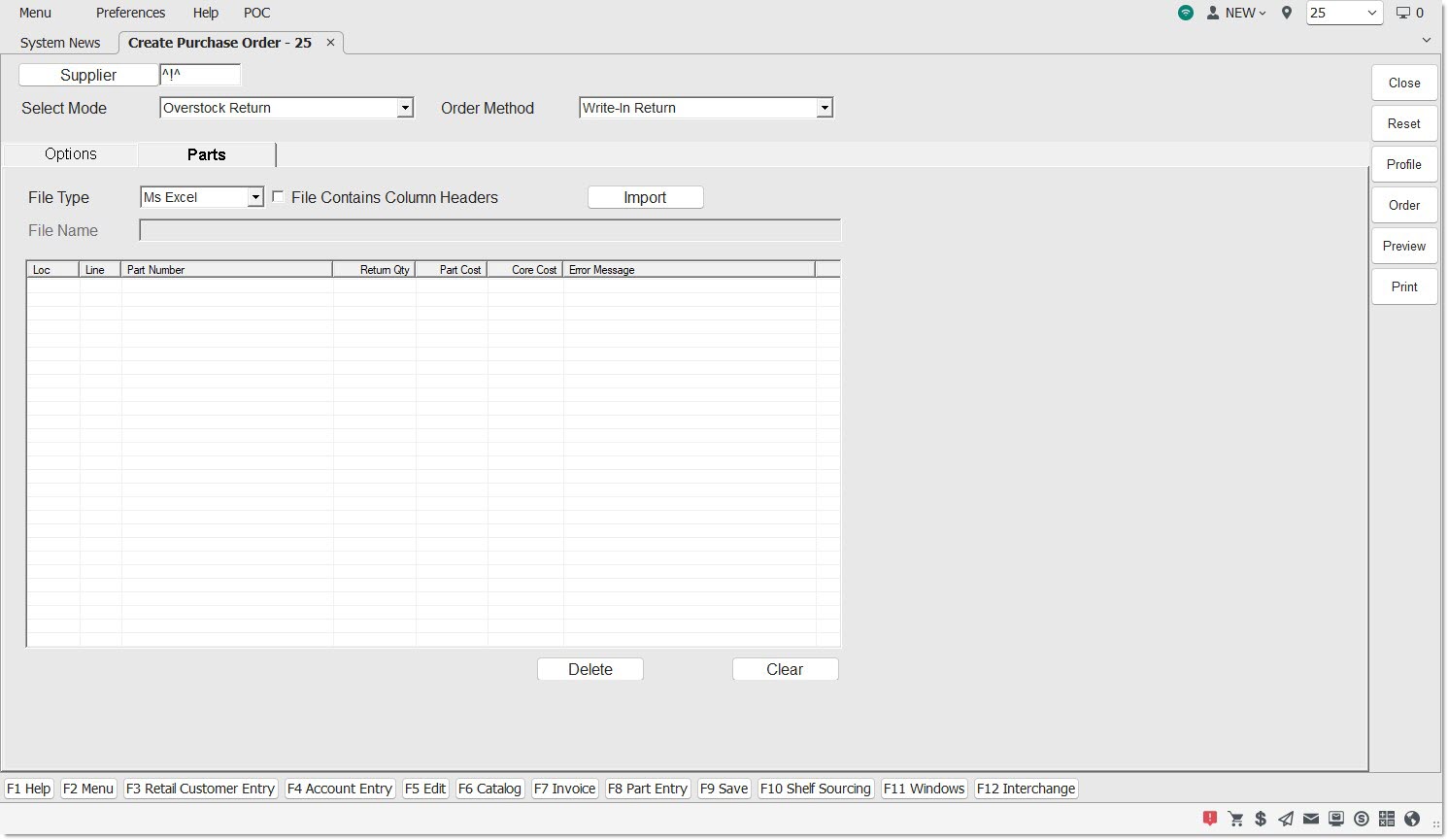
File Type
Identifies the file type.
Options are:
-
'MS Excel'
-
'CSV'
-
'Text (comma)'
-
'Text (tab)'
-
'Text (tilde)'
File Contains Column Headers
Overrides the default, when checked. When a file is imported with this checked, the program will skip the first row of data in the imported file.
File Name
Indicates the file name.
Import
Imports a file from the desktop PC.
When clicked, and the 'File Type' is an option other than 'Select', a standard Windows OS dialogue pop-up displays to find and select a file located on the desktop PC.
If the grid contains parts, a pop-up displays stating "There are already parts in the grid. Do you want to continue?" Click 'No' and the selected file is not processed. Click 'Yes' and:
-
The 'File Name' field populates with the file name.
-
The grid populates with all records from the file.
-
"Total parts: <number of rows in grid>" displays.
Validate
Validates each row in the grid.
Error messages display when:
-
'Loc' (store number) does not match one of the stores in the grid in the 'Stores' tab.
-
'Line' values does not match an existing Line Code in the store's inventory.
-
'Part Number' is greater than 28 alphanumeric characters.
-
'Order Qty' is less than 1 or greater than 99999.
-
'Part Cost' is not a decimal number between 0 and 99,999.999. Note: The PC's regional settings determine currency separator characters that display.
-
'Core Cost' is not a decimal number between 0.001 and 99,999.99.
After validation:
-
If all rows in the grid are valid, the text "Error parts: 0" displays.
-
If any rows are invalid, the text "Error parts: <number of error rows in grid>" displays.
Loc
Displays the store number.
Part Number
Displays the part number.
Order Qty
Displays the order quantity.
Part Cost
Displays the part cost.
Core Cost
Displays the core cost.
Error Message
Displays the appropriate error message, if applicable.
Add
Displays the 'Add Part' window to enter the part number.
Click 'Add Part' to add the part.
Delete
Removes a highlighted row from the grid.
Displays a 'Yes'/'No' pop-up that asks “Are you sure you want to delete the selected row?"
Clear
Removes all rows from the grid, and clears out the file name.
Displays a 'Yes'/'No' pop-up that asks: "Are you sure you want to remove all rows?"