Scan Session Tab
The 'Scan Session' tab is used to create a Purchase Order (return) based off of a Scan Session from an RF device.
Menu Path: Purchasing, Order Create, Order Create screen, 'Scan Session' tab
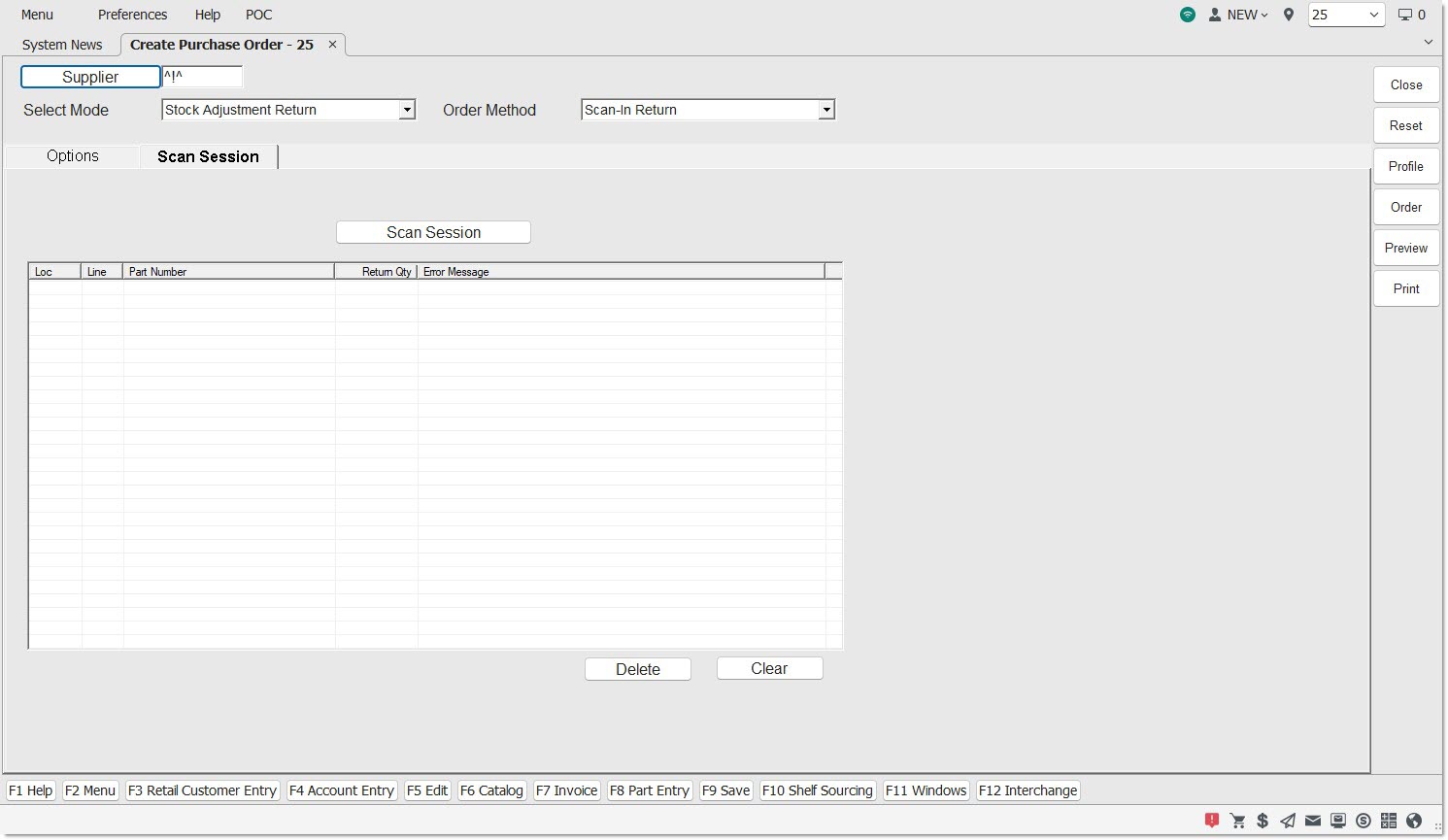
Scan Session
Opens the 'Browse Scan Sessions' window to browse and select Scan Sessions with which to return parts from.
Loc
Indicates the Store Number where the part was scanned.
Line
Indicates the Line of the part that was scanned.
Part Number
Indicates the Part Number of the part that was scanned.
Return Qty
Indicates the quantity to be returned from the scan session.
Error Message
Indicates the error message associated with the part that was scanned.