Manifest Reports
The Manifest Reports screen is used to generate the 'Manifest Store Summary', 'Manifest Vendor Summary', and 'Manifest Detail Report' used to analyze returns across multiple manifests.
Menu Path: Reports, Manifest Reports, Manifest Reports screen
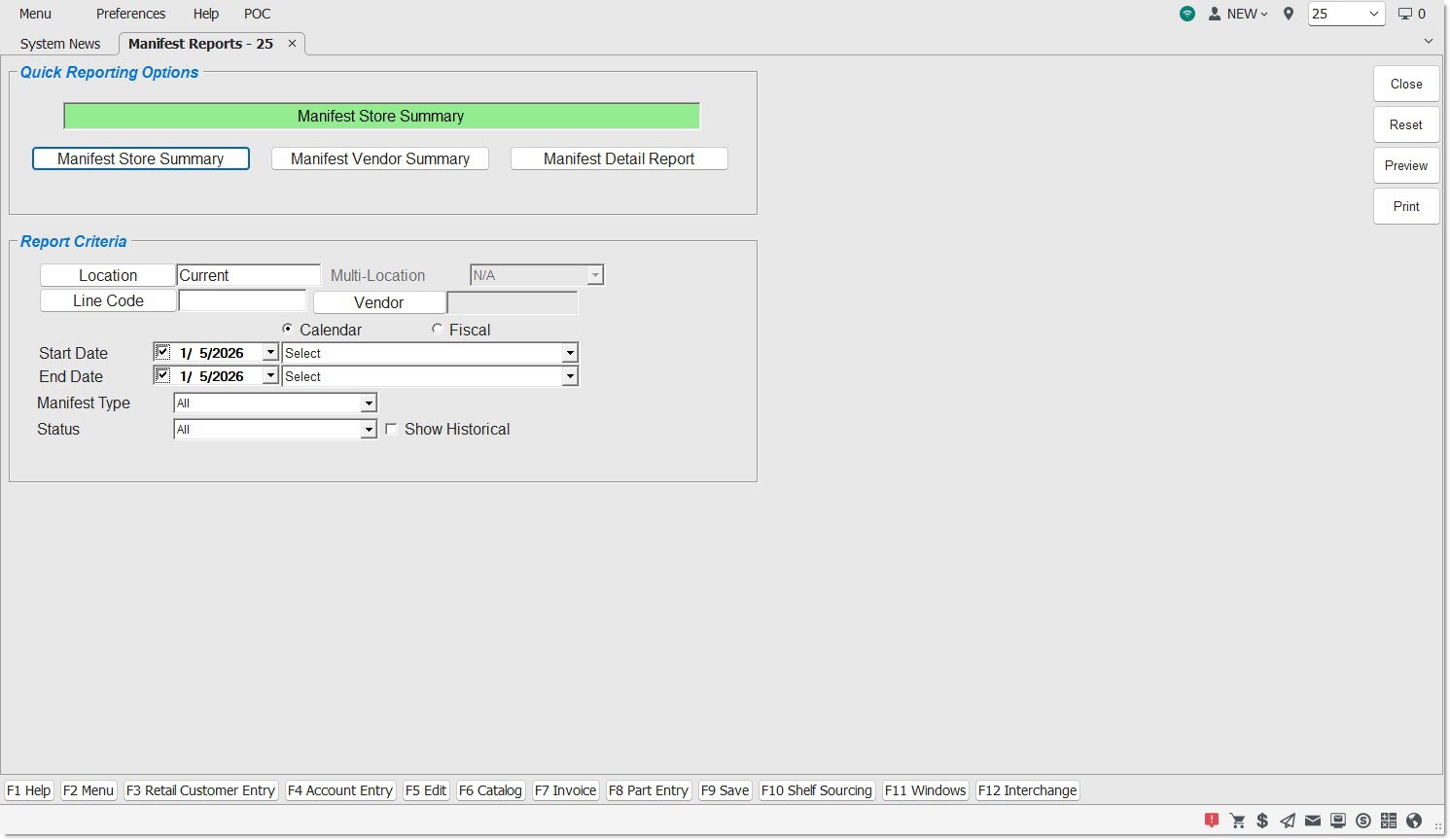
Quick Reporting Options
Manifest Store Summary
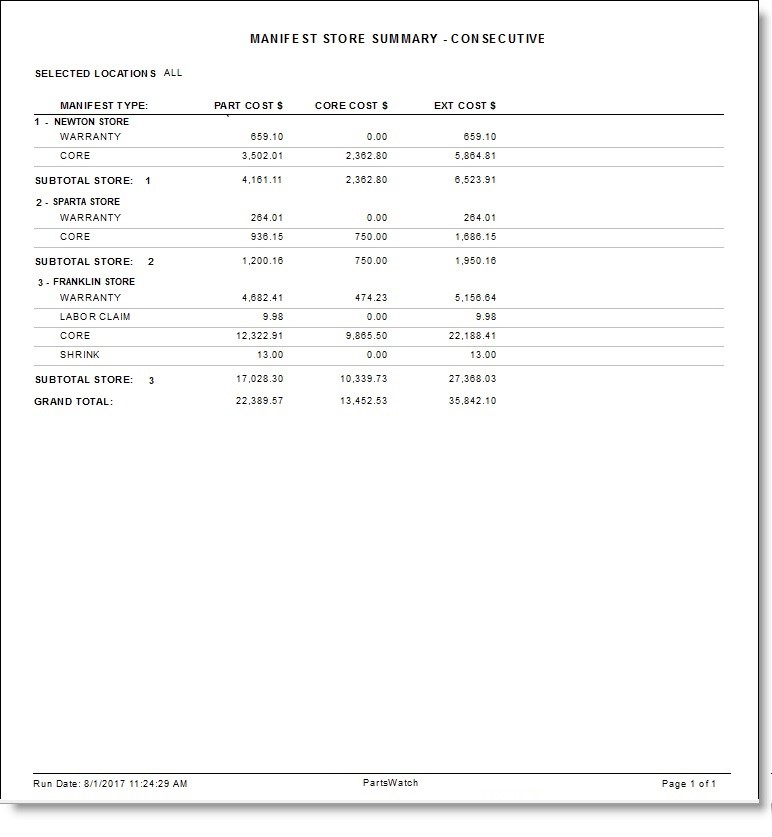
Generates the 'Manifest Store Summary' Report for single and multiple locations.
The report outputs the field totals per manifest type for all vendors included.
The report includes a subtotal for each store in a multi-store report and has a grand total for all stores included.
Manifest Vendor Summary
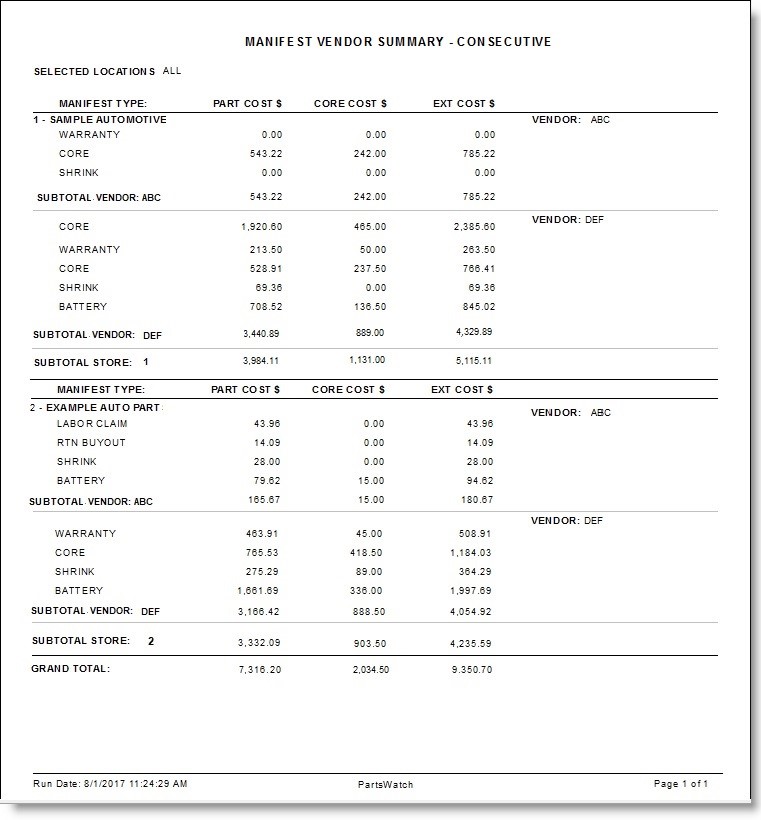
Generates the 'Manifest Vendor Summary' Report that is output by vendor for single store reports and by store for multi-store reports.
The report is subtotaled by vendor for single store reports and per store for multi-store reports.
The report includes a grand total of all vendors.
Manifest Detail Report
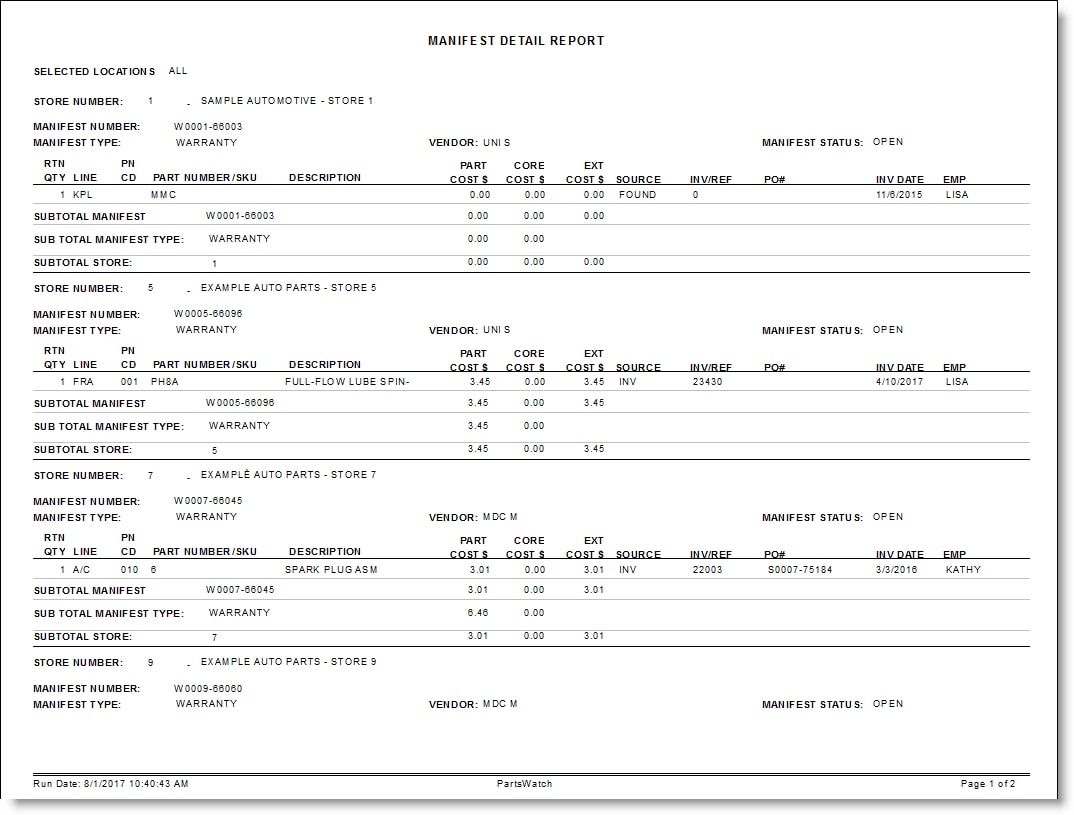
Generates the 'Manifest Detail Report' that is output separately by store.
The report body sorts alphabetically by Line Code.
The 'Part Cost $', 'Core Cost $', and 'Ext Cost $' fields are subtotaled by manifest number, manifest type and by store, and include grand total at the end.
Report Criteria
Location
Filters by the store location. Defaults to the current store. Click the button to display the 'Browse Locations' window to select location. Allows for multi-location selection based on User Security permission.
Multi-Location
This field identifies the multi-location report output, from options 'Consecutive', 'Comparative', or 'Summary'.
This field is unavailable when the 'Manifest Detail Report' button is clicked.
Line Code
Filters by a line code. Click the button to display the 'Browse Line Codes' window to search for a line code.
Indicates line (M) or supplier (S).
Start Date
Indicates the Manifest Create Date for the manifest. Click the small down arrow to display a calendar. Click the desired date to select. Use the small left and right arrows to display previous/next months. Defaults to current date.
End Date
Indicates the Manifest Close Date for the manifest. Click the small down arrow to display a calendar. Click the desired date to select. Use the small left and right arrows to display previous/next months. Defaults to current date.
Calendar
Uses Relative Calendar dates, when selected. Works in conjunction with the 'Start Date' and 'End Date' fields.
Fiscal
Uses Fiscal Calendar dates, when selected. Works in conjunction with the 'Start Date' and 'End Date' fields.
Manifest Type
Filters by manifest type.
Options are:
-
'All' (Default)
-
'Battery'
-
'Core'
-
'DNRV Defective'
-
'Labor Claim'
-
'Rtn Buyout'
-
'Shrink'
-
'Warranty'
Status / Show Historical
Field that displays the Manifest Status, depends on the value of the 'Show Historical' setting.
-
If the 'Show Historical' checkbox is checked, the drop-down menu allows for the selection of 'All', 'Closed', or 'Transmit'.
-
If the 'Show Historical' remains unchecked, the drop-down menu allows for the selection of 'All', 'Final', or 'Open'.
Manifest Detail Report
The following is an example of the 'Manifest Detail Report':

Manifest Vendor Summary Report
The following is an example of the 'Manifest Vendor Summary Report':
Manifest Store Summary Report
The following is an example of the 'Manifest Store Summary Report':