Extract Setup
Menu Path: Utility Options, Extract Setup, Extract Setup screen
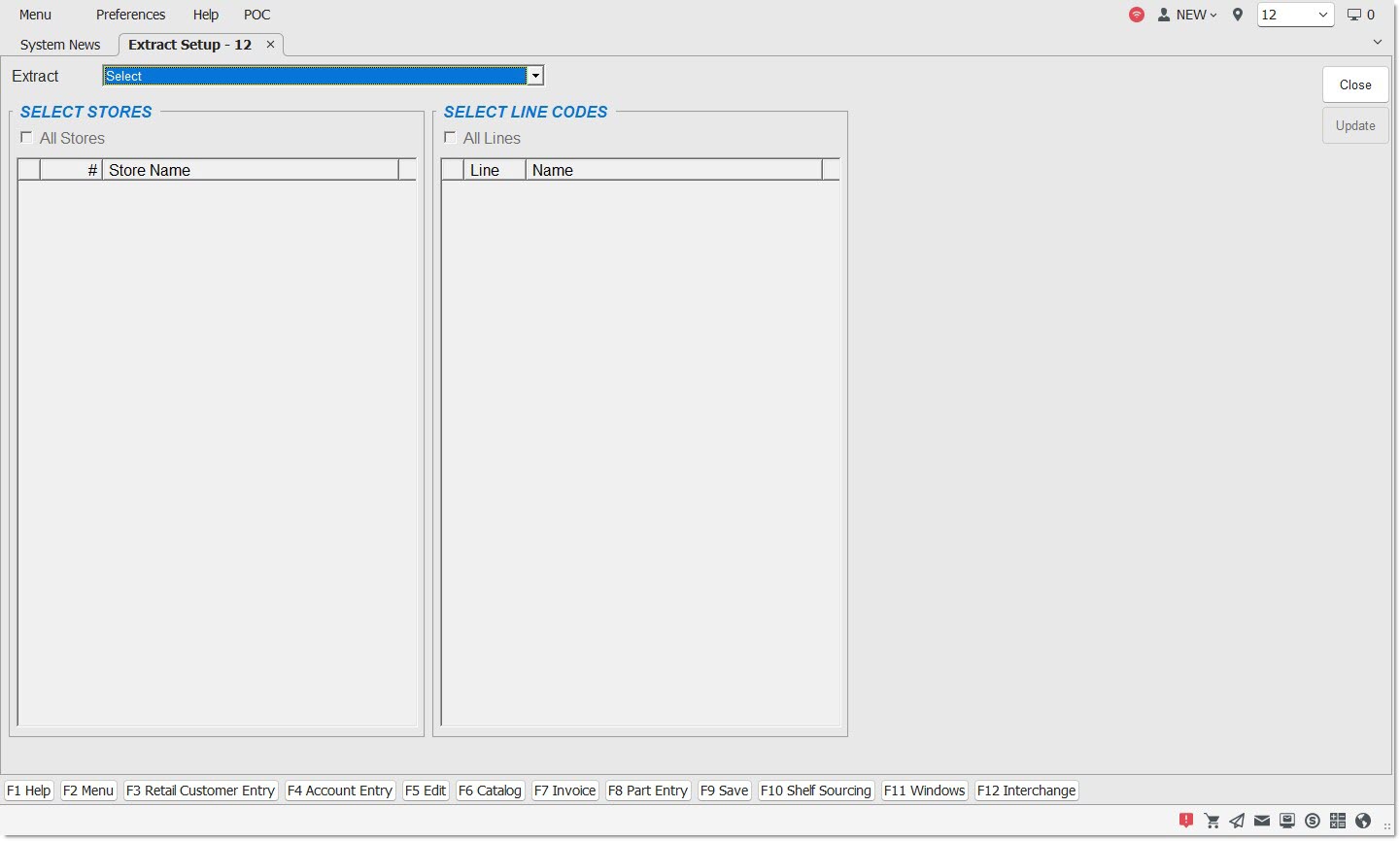
All Stores
Checkbox that determines which stores are entered in the extract grid.
- Checked - All stores in the system are included in the extract.
- Unchecked - Only selected stores are included in the extract.
#
Displays the Store Number for the selected stores in the grid.
Store Name
Displays the Store Name for the selected stores in the grid.
All Lines
Checkbox that determines which lines are entered in the extract grid.
- Checked - All lines in the system are included in the extract.
- Unchecked - Only selected lines are included in the extract.
Line
Displays the Line Code for the selected Lines added to the extract grid.
Name
Displays the name of the line for the selected Lines added to the extract grid.