Table Lock Utility
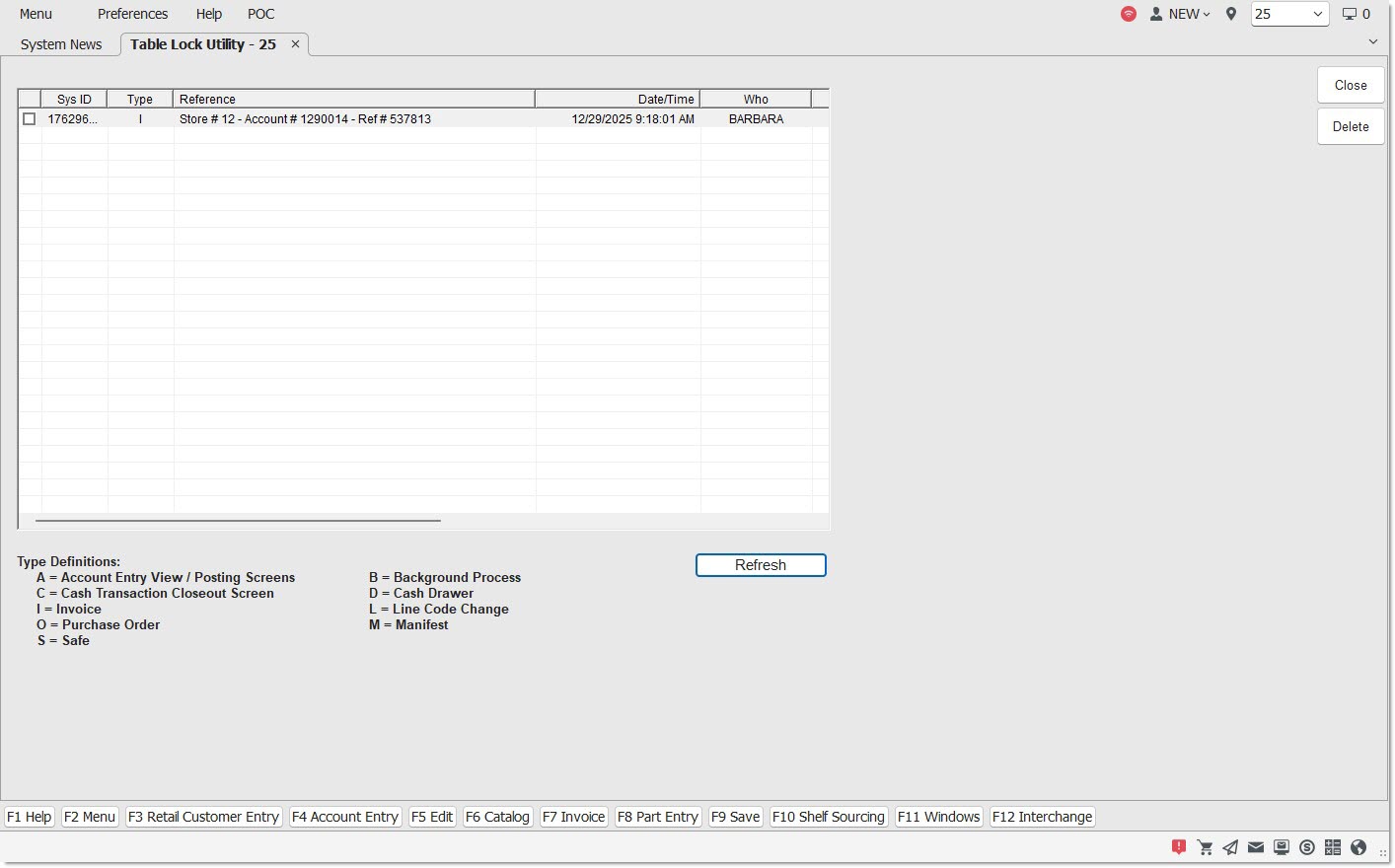
The Table Lock Utility screen is used to view and remove locks on records that are currently being used or records that may have been compromised in some manner and are, therefore, in a locked status.
Menu Path: Utility Options, Table Lock Utility, Table Lock Utility screen
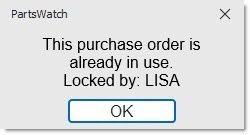
When an attempt is made to access a record that is currently accessed by another user, the record may become locked. When this occurs, a prompt displays stating that the information being requested is already in use.
The table remains locked even when the other user finishes with the record. Make sure that another user is not actually using the data. If not, the data can be accessed via the Table Lock Utility screen.
Locks on records may be cleared by deleting the records from the table. An attempt to delete an active record results in an informational message and the item will not be deleted.
[Checkbox]
Identifies the item to be deleted, when checked.
Sys ID
Identifies the database connection ID. For internal use only.
Type
Identifies the transactions that are locked when in use:
'A' = Account Entry View / Posting Screens
'C' = Cash Transaction Closeout Screen
'I' = Invoice
'O' = Purchase Order
'S' = Safe
'B' = Background Process
'D' = Cash Drawer
'L' = Line Code Change
'M' = Manifest
Reference #
Displays Store #, Account #, and Reference # information.
Date/Time
Indicates the date and time the lock occurred.
Who
Indicates who was using the data at the time the lock occurred.
Procedure to Unlock a Record
To unlock a record, follow the steps below:
-
From the Menu, select Utility Options, Table Lock Utility. The Table Lock Utility screen displays.
-
Check the checkbox next to the item to be unlocked.
-
Click 'Del'. A prompt displays stating, "Are you sure you want to delete the selected item?"
-
Click 'Yes' to unlock the item or click 'No' to abort the process. 'Yes' unlocks the item and 'No' displays the Table Lock Utility screen.