Apply Pending
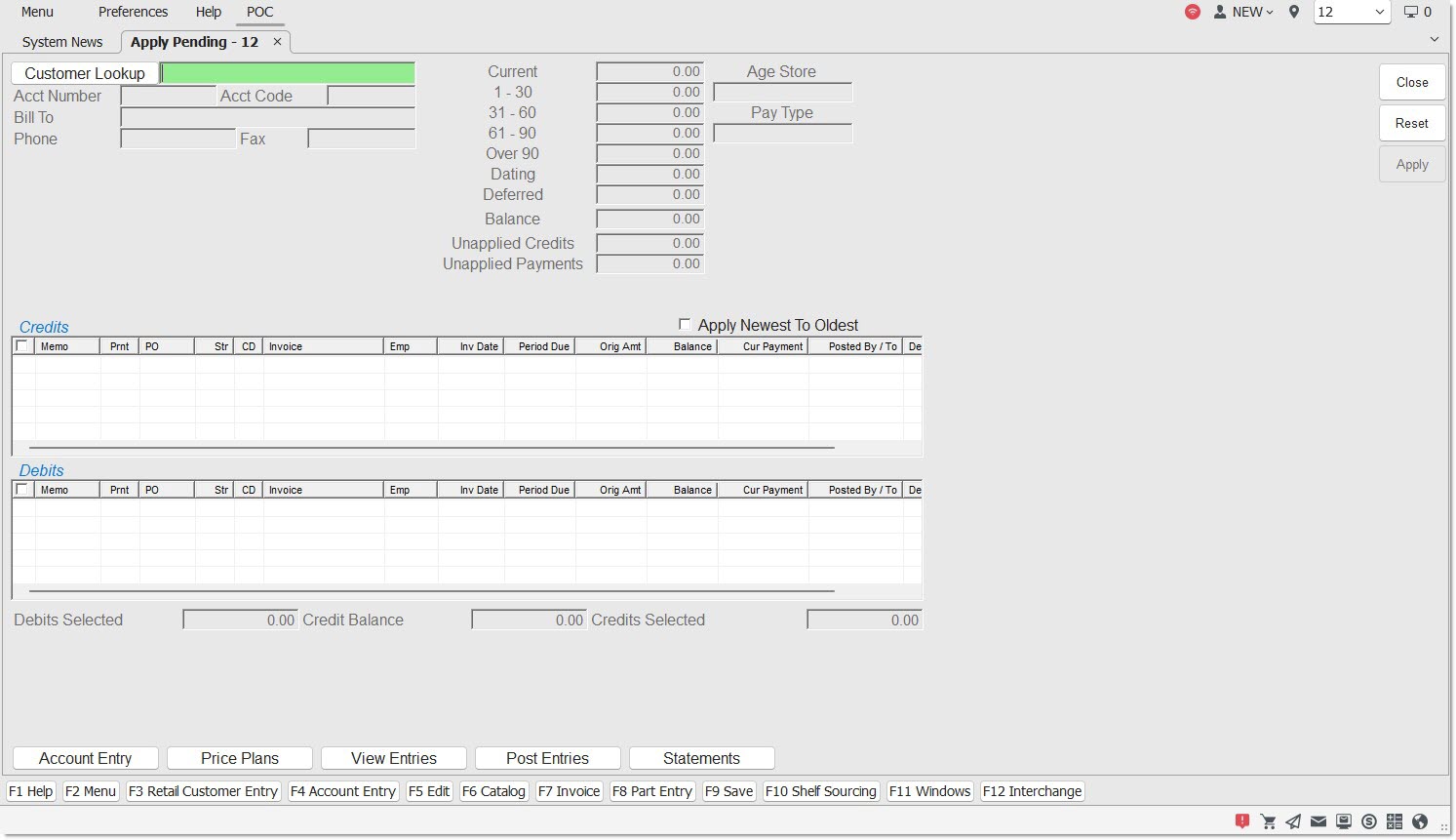
The Apply Pending screen is used to apply credits that exist on the account but have not yet been applied. Used for Open Item accounts only.
Menu Path: Customer, Entry Info, Post Entries, Post Entries screen, 'Apply Pending' button, Apply Pending screen
Access is not available when a Balance Forward customer is in focus in the Post Entries screen.
Customer Lookup
Displays the Customer Name. Click the button to display the 'Find Account' window to search for a customer.
Acct Number
Displays a system-generated unique number of up to nine numeric digits, with the exception of Transfer accounts, which are manually entered.
Acct Code
Displays a manually entered, eight alphanumeric character code used similar to the way the account number is used.
Bill To
Used to enter and maintain the address, city, state, zip code, phone, and fax number that are used for customer billing, statements and reports.
Phone
Displays the customer's telephone number.
Fax
Displays the customer's fax number.
Current/1-30/31-60/61-90/Over 90
Displays the balances due in the various aging buckets from current to past due.
Dating
Displays the amount due in the future for invoices set up with Dating.
Deferred
Displays the total deferred core less any applied core returns. Only displays for accounts that have the 'Deferred Core Billing' flag checked.
Balance
Displays the total amount due of the aging, dating, deferred, and unapplied credits.
Unapplied Credits
Displays the total of all invoice credits, including deferred core credits that have not been applied to core debits and excluding PCs and DCs, not yet applied to a specific debit.
Unapplied Payments
Displays the amount of payments (PC and DC) that are not yet applied.
Age Store
Displays the 'Age Store' value, for the account in focus, found on the 'Account Statement Controls' pop-up accessed from the Account Entry screen.
Apply Newest to Oldest
Applies payments until all debits are paid or the credits are fully applied for any selected transactions, when checked.
Credits / Debits Grid
[Checkbox]
Selects 'All' or 'None' of the rows in the grid. All rows, both credits and debits, are checked and selected, when checked. When unchecked, all rows are unchecked and not selected. However, individual rows can be selected on an as needed basis.
Memo
Displays the manually entered memo, up to 16 alphanumeric characters.
Print
Prints the memo on the statement, when checked. Does not print the memo on the statement, when unchecked.
PO
Displays the customer's Purchase Order number for the line item.
Str
Displays the store location where the entry was created.
CD
Displays the posting code for the transaction.
Note: Transactions with a posting code of 'DA' display in orange to easily distinguish Dated Billing transactions from regular transactions.
Invoice
Displays the system-generated number for the item that was entered through Invoicing.
Emp
Displays the employee responsible for the transaction.
Inv Date
Displays the date that the invoice was created or the item was posted.
Orig Amt
Indicates the full amount from the invoice or posted item.
Balance
Indicates the amount that is outstanding on an invoice or posted debit, if partially paid.
Cur Payment
Indicates the credit amount that was applied against the item for payment.
Posted By / To
Displays posting information for credits only.
Options are:
-
'ID' - Blank for all debits
-
'PC' - Posted check number
-
'IC' - Original invoice number
For all other adjustments, 'IA', 'TA', 'FC', 'DA', 'MC', 'MD', this field is blank.
Deferred
Identifies deferred invoices. Deferred debit invoices that have deferred items as well as all deferred credits display with a Y. These do not appear on the customer statement as due. Deferred transactions only display based on the value indicated in the 'Deferred on Statement Override' field on the account or the 'Deferred on Statement' flag on the store level.
Invoices and posted transactions that are not deferred, and invoices that were deferred and have core that are delinquent, display with a N. These appear on the customer statement as due.
Net
Indicates that the line item has a Net Billed amount, when checked.
Debits Selected
Indicates the amount of the credit posted to satisfy the outstanding amount (debit) due.
Credit Balance
Indicates the amount of the credit still left to post.
Credits Selected
Displays the total credits selected in the grid, both deferred core and non-deferred core credits.
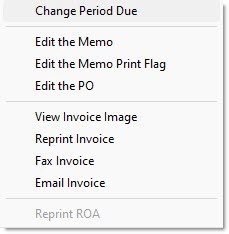
Right-Click Menu
Right-click a line item to display the right-click menu: