Reason Code Setup
The Reason Code Setup screen is used enter types of Reason Codes. Reason codes are at the enterprise level. Therefore, reason codes entered for one store are available to all stores.
Menu Path: Controls, System, Reason Code Setup, Reason Code Setup screen
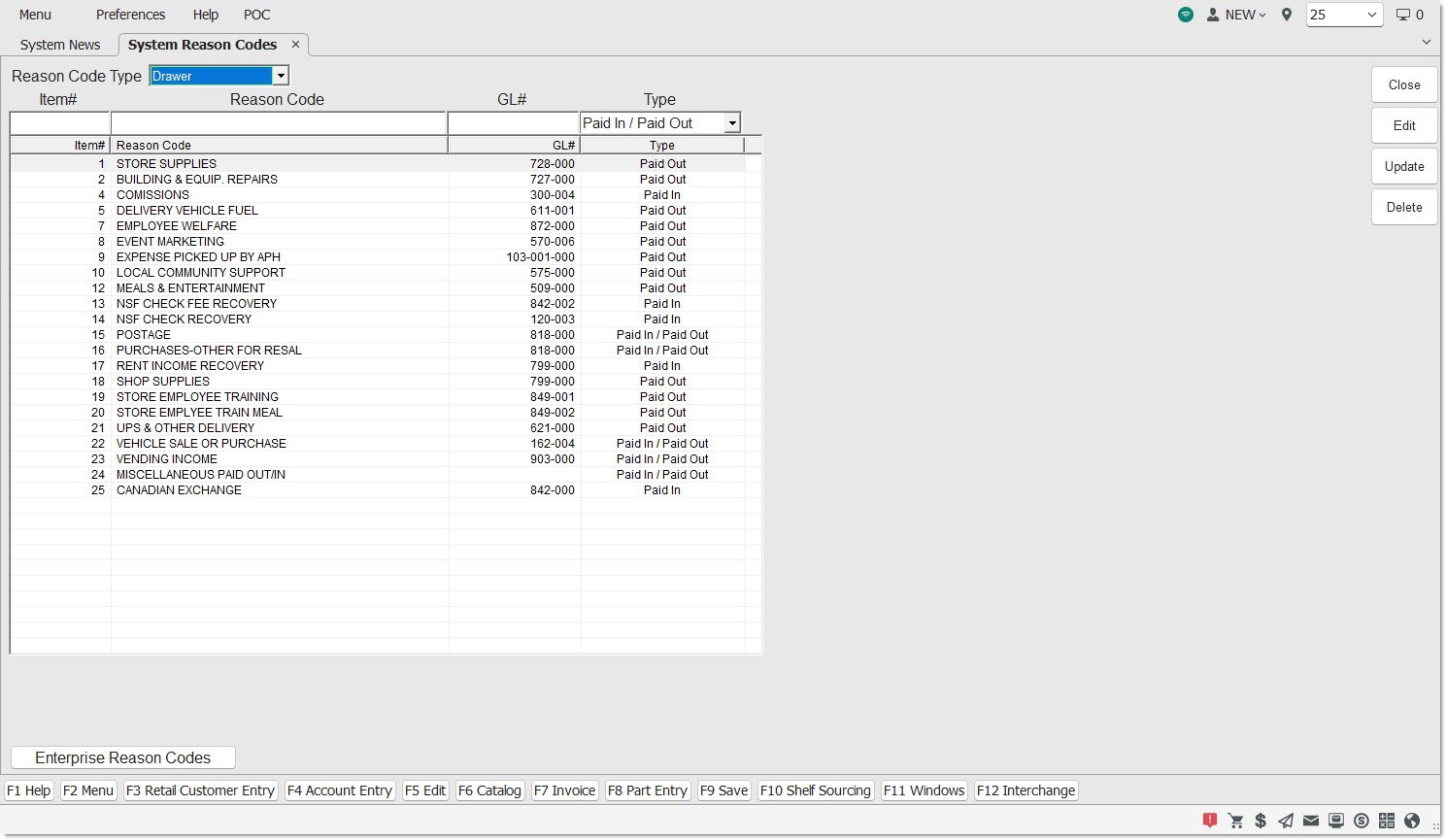
Provides the ability to add, edit, and delete reason codes.
Options are:
-
'Drawer' - Displays reason codes for the drawer that can be added, edited, and deleted.
-
'Safe' - Displays reason codes for the safe that can be added, edited, and deleted.
Item#
Indicates a number, up to five digits, used to sort the reason codes. Optional.
Reason Code
Indicates the description of the reason code, up to 25 alphanumeric characters. For example, Auto, Postage, Meals, Starting Cash. Required.
GL#
Indicates a general ledger number, up to 12 alphanumeric characters, of the reason code. For example, 3500, 261921548552, A1256. Optional.
Indicates the type of reason code. Required.
Types are:
-
'Paid In' - When selected, is available from the 'Reason' drop-down list on the Paid In To Drawer only.
-
'Paid Out' - When selected, is available from the 'Reason' drop-down list on the Paid Out From Drawer only.
-
'Paid In / Paid Out' - When selected, is available from the 'Reason' drop-down list in the Paid In To Drawer and Paid Out From Drawer. Default if the 'Enter' key is pressed without selecting a value.
Deletes the selected reason code. A prompt displays to confirm the deletion. 'Yes' deletes the code. 'No' cancels the deletion. When deleted from the setup, the reason code is no longer available from the Paid In To Drawer and Paid Out From Drawer screens. The code is available, however, as a Reason Code filter selection in the Cash Transaction Report screen.