System Central Service Setup
The SYSTEM CENTRAL SERVICE SETUP screen is used to provide Central Services subscribers the ability to map their line codes to a supplier's line codes.
Menu Path: Controls, System, Central Service Setup, SYSTEM CENTRAL SERVICES SETUP screen
If the database is not configured to be a Central Services subscriber, a prompt displays.
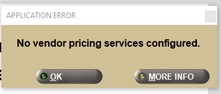
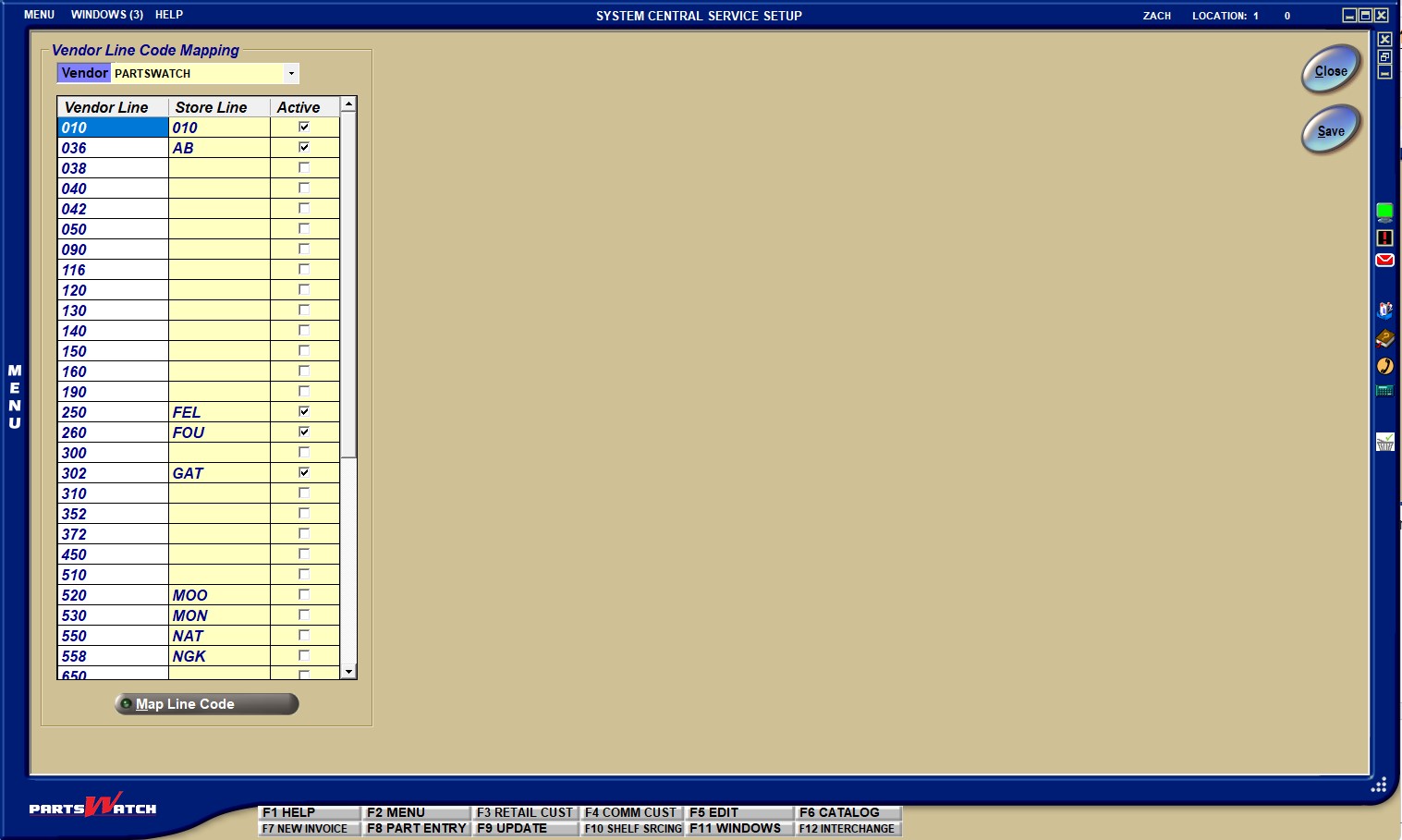
If the database is configured for a central service, the name of the central service displays in the 'Vendor' drop-down.
If there is only one central service available, the drop-down is read-only.
If there is more than a single central service configured, the drop-down is enabled, and only one of the central service names displays when the screen opens. Change the central service name if desired.
Vendor Line Code Mapping Grid
For each central service name selected, the application displays a grid that contains the columns below:
Every single line code available by the vendor selected in the 'Vendor' drop-down displays in the grid. Note: All of the grid data rows are populated by the central service program (called VPS for vendor pricing service), using the input pricing file provided by the vendor/supplier. No records can be deleted, only updated.
The store's line code that maps to the vendor's line code. This value can be updated on this screen. This is considered a "one-to-one" mapping. Note: The VPS program will attempt to populate a value for each of the store's line codes. The VPS program will populate a value for a row if it finds an "exact matching" line code value within the store's inventory for the vendor's line code. For example, in the screen sample above, 6 "exact matching" values were found and the VPS program populated all 6 store line code values.
This indicates that this mapping is valid and should be used to update the part prices and costs within the store's inventory for that line code. Note: When any new record is created in this mapping table, the default value for 'Active' will be unchecked. Manually check this column value for each mapped line code in the grid. It is possible to uncheck the value as well. If unchecked, the part prices and costs in the store's line code are not updated by the VPS program. Note: It is expected that the 'Active' column will be checked once for all rows desired and the screen should only be returned to if the vendor/supplier introduces any new lines for sale.

Multiple different vendor line codes can all be mapped to the same store line code. For example, a vendor might have 2 different lines for filters ("air" and "oil") while the store has all filters in a single line code called "fil". Both vendor line code rows in the grid can be mapped to the same store line code.
However, one vendor line code cannot be mapped to multiple store line codes. For example, if the vendor has a single line code for all filters called "fil", the store will be required to combine their two line codes of "air" and "oil" so maybe all parts from the "oil" line code can be moved to the "air" line code (using the PART MOVE UTILITY) and then the vendor's "fil" line code value can be mapped to the store's "air" line code value. The store could additionally use the LINE CODE RENAME UTILITY to change the line code value of "air" to "fil" if desired before mapping.
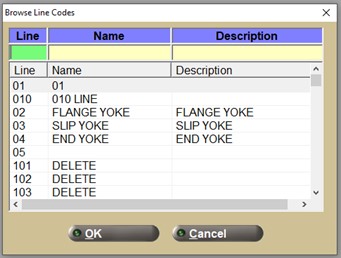
Type in a store's line code value, a search pop-up can also be used to find the appropriate line code value by clicking the 'Map Line Code' button below the grid:
Click the 'Save' button to save the changes.