Tax Authority / Tax Rate Flow
A new Tax Type rate breakdown is entered in the Rate Breakdowns - System screen (Example: 'Flags'). Once added, the Tax Type rate breakdown cannot be deleted or changed.
The new rate breakdown is automatically added to both the Tax Rate Setup screen and the System Tax Defaults screen.
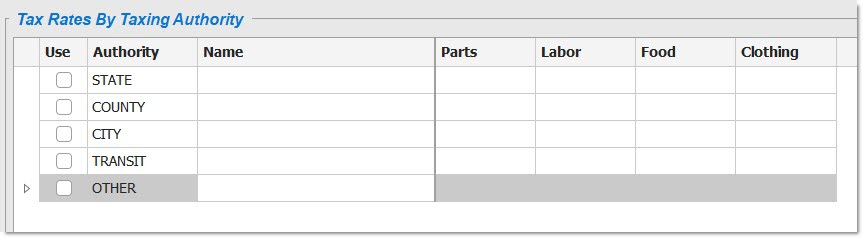
Tax Rate Setup Screen
The new tax type breakdown displays in the Tax Rate Setup screen and allows entry of different tax rates across the Taxing Authorities.
System Tax Defaults Screen
The breakdown is also added to the 'Tax Type' field in the System Tax Defaults screen. This field is used to select the Tax Breakdown rate type that the entered category code will use.
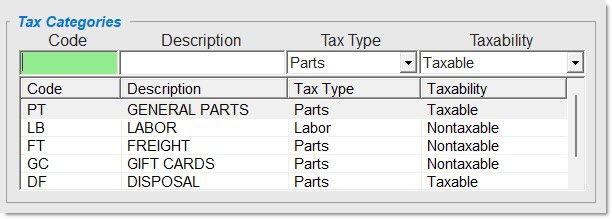
When a new category code is entered in the System Tax Defaults screen, the breakdown is selected from the 'Tax Type' drop-down list. The type of rate breakdown is by part since the category code is on the part level.