Recurring Charges Report
Recurring Charges Overview

The RECURRING CHARGES REPORT screen is used to generate reports of existing recurring charges for customer accounts as well as a list of all existing recurring charge setups.
Menu Path: Reports, Financial, Recurring Charge, RECURRING CHARGES REPORT screen
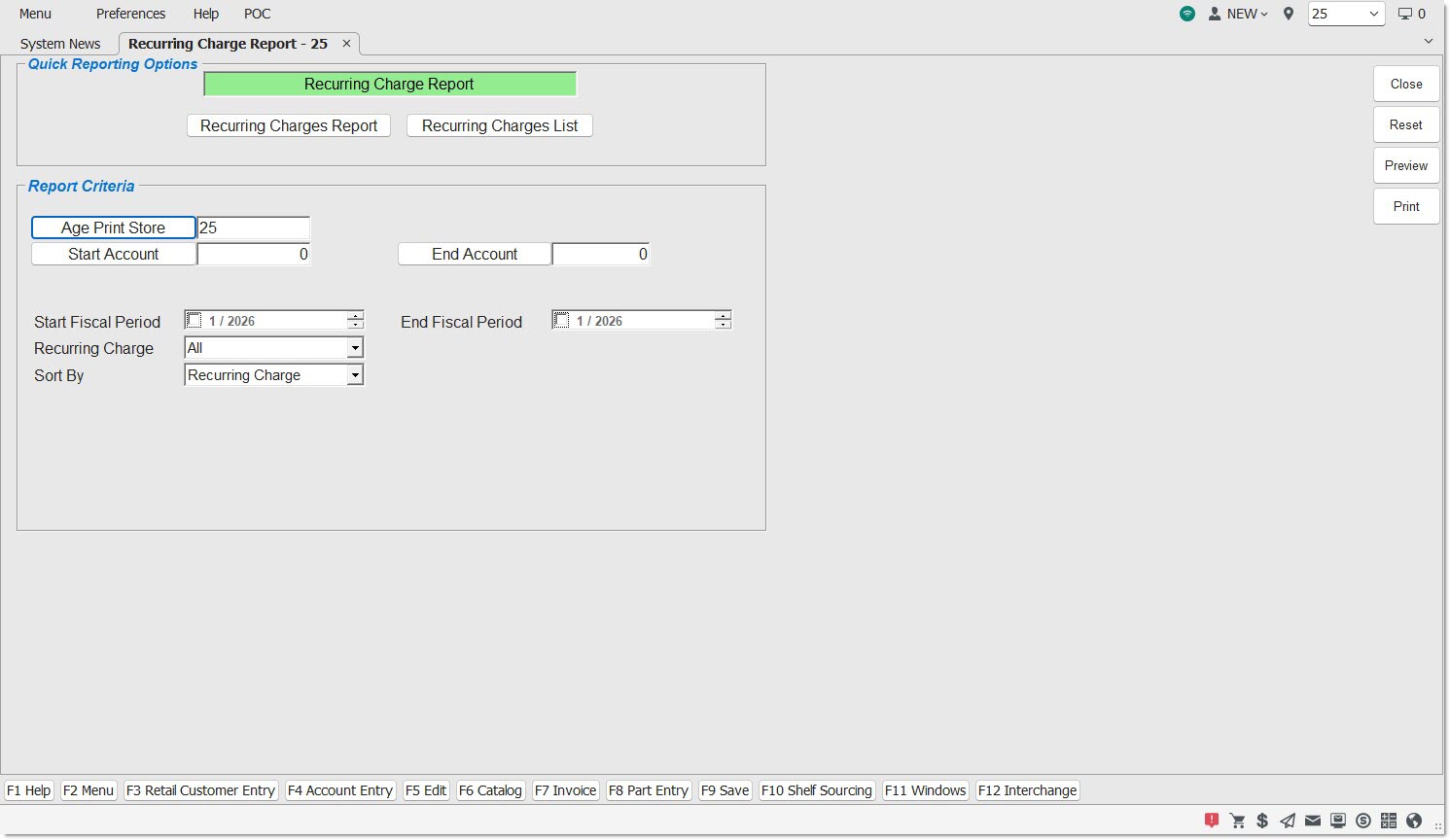
The RECURRING CHARGES REPORT screen can also be opened from the RECURRING CHARGE SETUP screen.
Quick Reporting Options
Report Criteria - RECURRING CHARGE REPORT
Defaults to report the current location. Enter another location or click the button to open the 'BROWSE LOCATIONS' window to select a location to report accounts by that 'AGE STORE'.
START / END ACCT
Report by account range. Enter the starting and ending account numbers or click the buttons to select the account.
START / END / FISCAL PERIOD
Report by period range. Enter the starting and ending period dates or check the field to narrow the period range reported.
RECURRING CHARGE
Report ALL customer Recurring Charge setups or click the drop-down and select a single Recurring Charge for output.
Once the Report Criteria are defined, click 'PREVIEW' or 'PRINT' to output the report by:
SORT BY
Determines the data output order:
-
'RECURRING CHARGE'
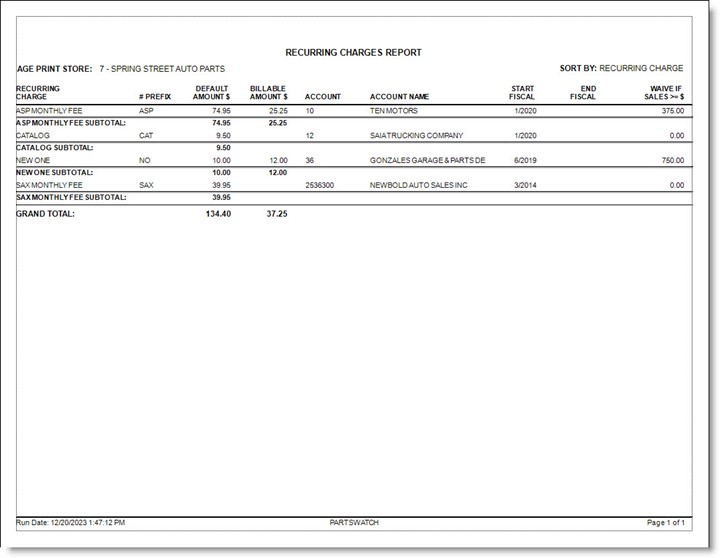
The report output includes the following columns in the following order:-
'RECURRING CHARGE'
-
'# PREFIX'
-
'DEFAULT AMOUNT $'
-
'BILLABLE AMOUNT $'
-
'ACCOUNT' - Reports by Account Number or Account Code depending on the 'USE ACCOUNT CODES' store control.
-
'ACCOUNT NAME'
-
'START FISCAL'
-
'END FISCAL'
-
'WAIVE IF SALES >= $'
-
-
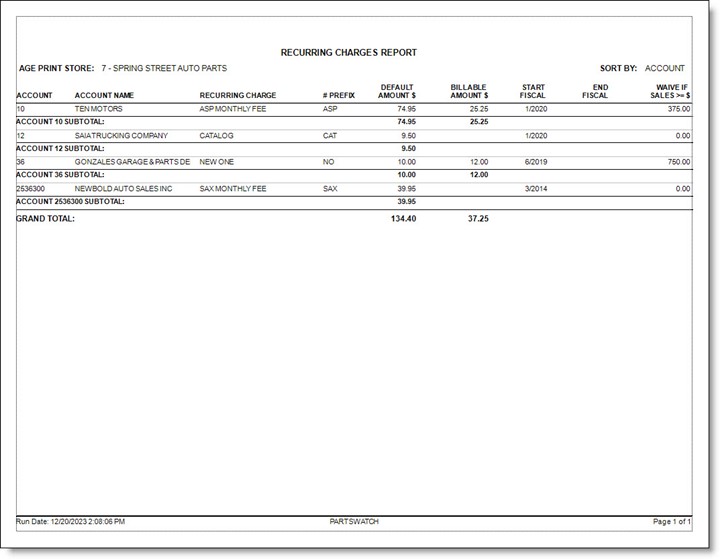
'ACCOUNT'
-
'ACCOUNT' – Reports by Account Number or Account Code depending on the 'USE ACCOUNT CODES' store control.
-
'ACCOUNT NAME'
-
'RECURRING CHARGE'
-
'# PREFIX'
-
'DEFAULT AMOUNT $'
-
'BILLABLE AMOUNT $'
-
'START FISCAL'
-
'END FISCAL'
-
'WAIVE IF SALES >= $'
-
The report will display the subtotal of 'DEFAULT AMOUNT $' and 'BILLABLE AMOUNT $' by Recurring Charge or Account depending on the 'SORT BY' selected.
The 'GRAND TOTAL' is the total of all 'DEFAULT AMOUNT $' and of all 'BILLABLE AMOUNT $'.
Report Examples
'SORT BY': 'RECURRING CHARGE'
'SORT BY': 'ACCOUNT'
Report Criteria - RECURRING CHARGES LIST
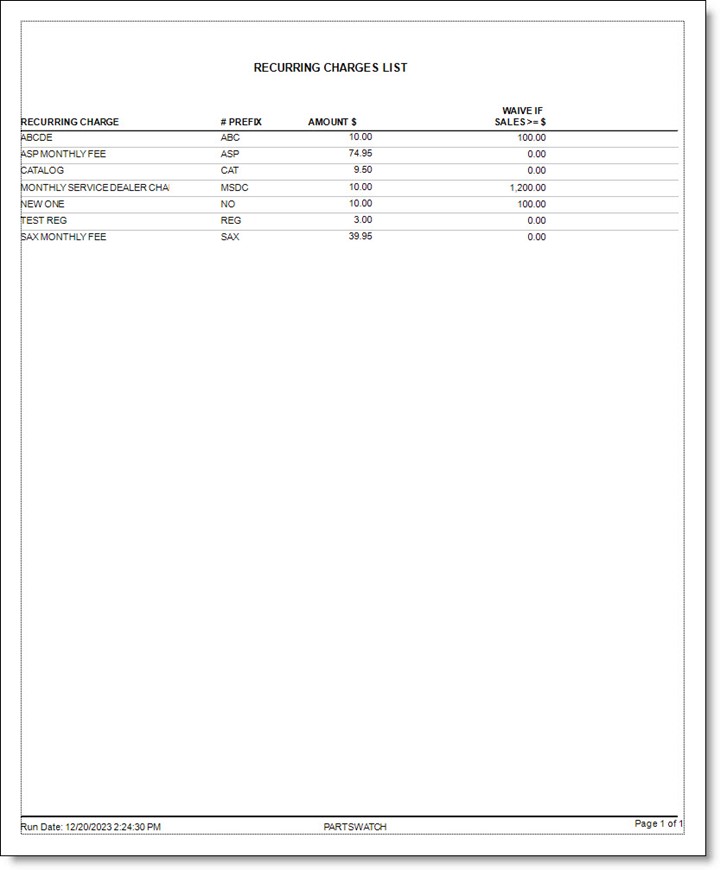
The report outputs a list of setups and does not use any 'Report Criteria'.
The report body includes the following columns:
- 'RECURRING CHARGE'
- '# PREFIX'
- 'AMOUNT $'
- 'WAIVE IF SALES >=$'
Click 'PREVIEW' or 'PRINT' to output the report.
The report is sorted in alphabetical order by Recurring Charges.
Report Example