Cycle Count Report
The Cycle Count Report screen displays a summary list of all cycle counts that are maintained within the cycle count database and is used to generate a Cycle Count Report. Cycle counts can be printed without being previously printed from the PDA. Access to the Cycle Count Report screen is determined by User Security.
Menu Path: Reports, Inventory, Cycle Count Report, Cycle Count Report screen
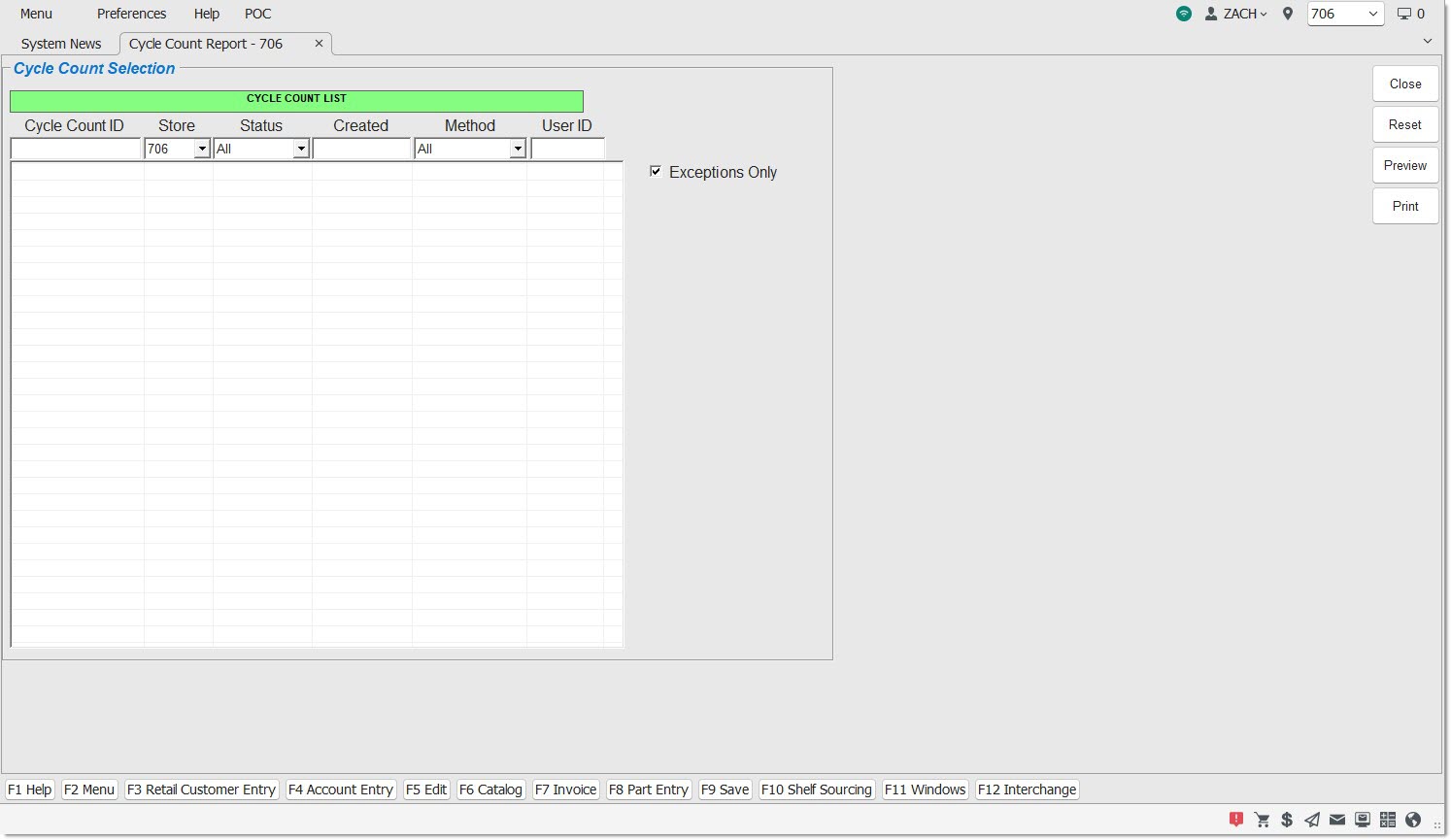
Cycle Count ID
Indicates the cycle count ID assigned when the cycle count was initiated. Click on the heading to sort in alphanumeric order.
Store
Indicates the store number that the cycle count was executed in. Click the heading to sort the stores in numeric order. Select one of the stores from the drop-down list to display cycle counts from that store only (default) or 'All' to display all cycle counts for all stores.
Available stores display based on the Store Group that the logged-in employee is assigned to.
Status
Indicates the current status of the cycle count. Click the heading to sort the statuses in alphanumeric order. Select a status from the drop-down list to display only those cycle counts with that status or click 'All' (Default) to display all cycle counts for all statuses.
Options are:
-
'InProg' - Indicates the cycle count is open and actively being worked on at the time the cycle count file was queried. These cycle counts cannot be printed.
-
'Saved' - Indicates the cycle count has been saved. Can be reopened to edit and/or add additional items. These cycle counts cannot be printed. If reopened, the status changes back to 'InProg'.
-
'Complt' - Indicates the cycle count has been marked complete. Can be reopened to edit and/or add additional items. These cycle counts are available for printing. If reopened, the status changes back to 'InProg'.
-
'Complt-P' - Indicates the cycle count has been printed earlier. These cycle counts are available for reprinting.
-
'Final' - Indicates the cycle count has been marked final. No more additions or changes can be made. These cycle counts are available for printing.
-
'Final-P' - Indicates the cycle count has been printed earlier. These cycle counts are available for reprinting.
Created
Indicates the date the cycle count was started. Click the heading to sort from oldest to newest or vice versa on a second click.
Method
Indicates the method used for the cycle count. Click the heading to sort the list in alphabetical order by 'Method'. Select a method from the drop-down list to display a specific method.
User ID
Indicates the ID of the user who performed the cycle count. Click the heading to sort by user ID in alphabetical order.
Exceptions Only
Prints only the items that have counted quantities different from the 'Total In Stock' ('Qty Available' + 'Reserved') in the PartsWatch inventory, when checked.
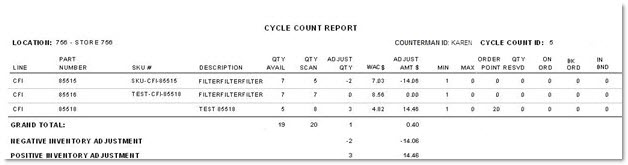
Cycle Count Report
The 'Cycle Count Report' displays detail information of a cycle count.
The following is an example of the 'Cycle Count Report':