Time Clock Tab
Click the 'TIME CLOCK' tab at the top of the STORE GENERAL SETUP screen to display a page with time clock setups. Time Clock tracking is not inherent in PartsWatch and instead, can be operated from PartsWatch using a third-party time clock program.
The screen provides several separate tabs for setup:
- Store General Setup - 'Store Information' Tab
- Store General Setup - 'Deferred Core' Tab
- Store General Setup - 'Report GPM %' Tab
- Store General Setup - 'G/L Export' Tab
- Store General Setup - 'SORO' Tab
- Store General Setup - 'IWS' Tab
- Store General Setup - 'Shelf Sourcing' Tab
- Store General Setup - 'Email' Tab
- Store General Setup - 'Price Change' Tab
- Store General Setup - 'Cash Drawer' Tab
- Store General Setup - 'Time Clock' Tab
- Store General Setup - 'Consignments' Tab
Menu Path: Controls, Store, Store Info, STORE GENERAL SETUP screen, 'TIME CLOCK' tab
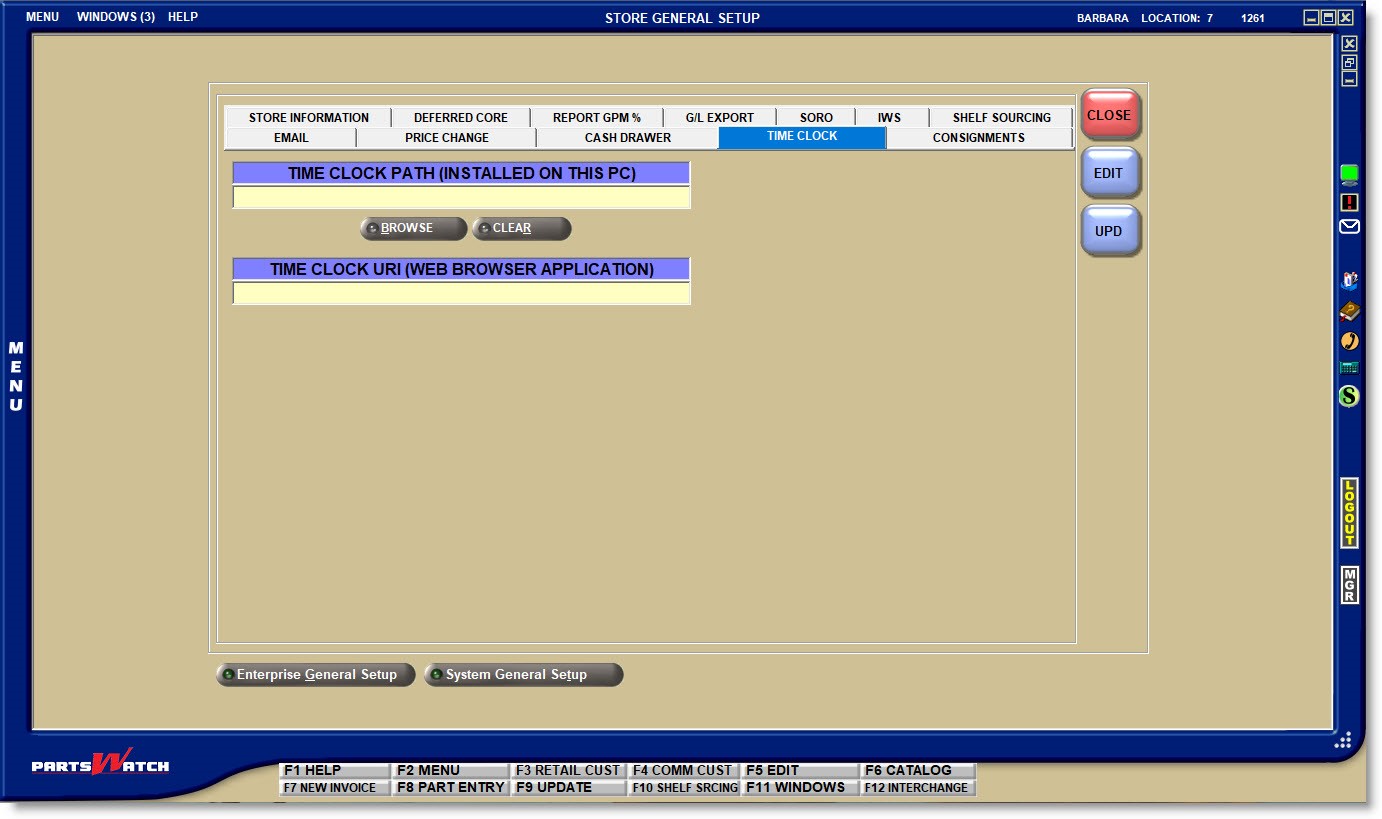
TIME CLOCK PATH (INSTALLED ON THIS PC)
If the file is installed on the local PC, click the 'BROWSE' button to open a browser window to search for the file path of the third-party time clock program installed on the PC.
Click the 'CLEAR' button to clear the selected file path.
TIME CLOCK URL (WEB BROWSER APPLICATION)
If the program is online, enter the URL (web address) of the third-party time clock program opened from the website.