Price Change Tab
Click the 'PRICE CHANGE' tab at the top of the STORE GENERAL SETUP screen to display a page with Price Change Reports setups. The 'PRICE CHANGE REPORTS' are used to view part price changes that are received and applied by the inventory feed.
The screen provides several separate tabs for setup:
- Store General Setup - 'Store Information' Tab
- Store General Setup - 'Deferred Core' Tab
- Store General Setup - 'Report GPM %' Tab
- Store General Setup - 'G/L Export' Tab
- Store General Setup - 'SORO' Tab
- Store General Setup - 'IWS' Tab
- Store General Setup - 'Shelf Sourcing' Tab
- Store General Setup - 'Email' Tab
- Store General Setup - 'Price Change' Tab
- Store General Setup - 'Cash Drawer' Tab
- Store General Setup - 'Time Clock' Tab
- Store General Setup - 'Consignments' Tab
Menu Path: Controls, Store, Store Info, STORE GENERAL SETUP screen, 'PRICE CHANGE' tab
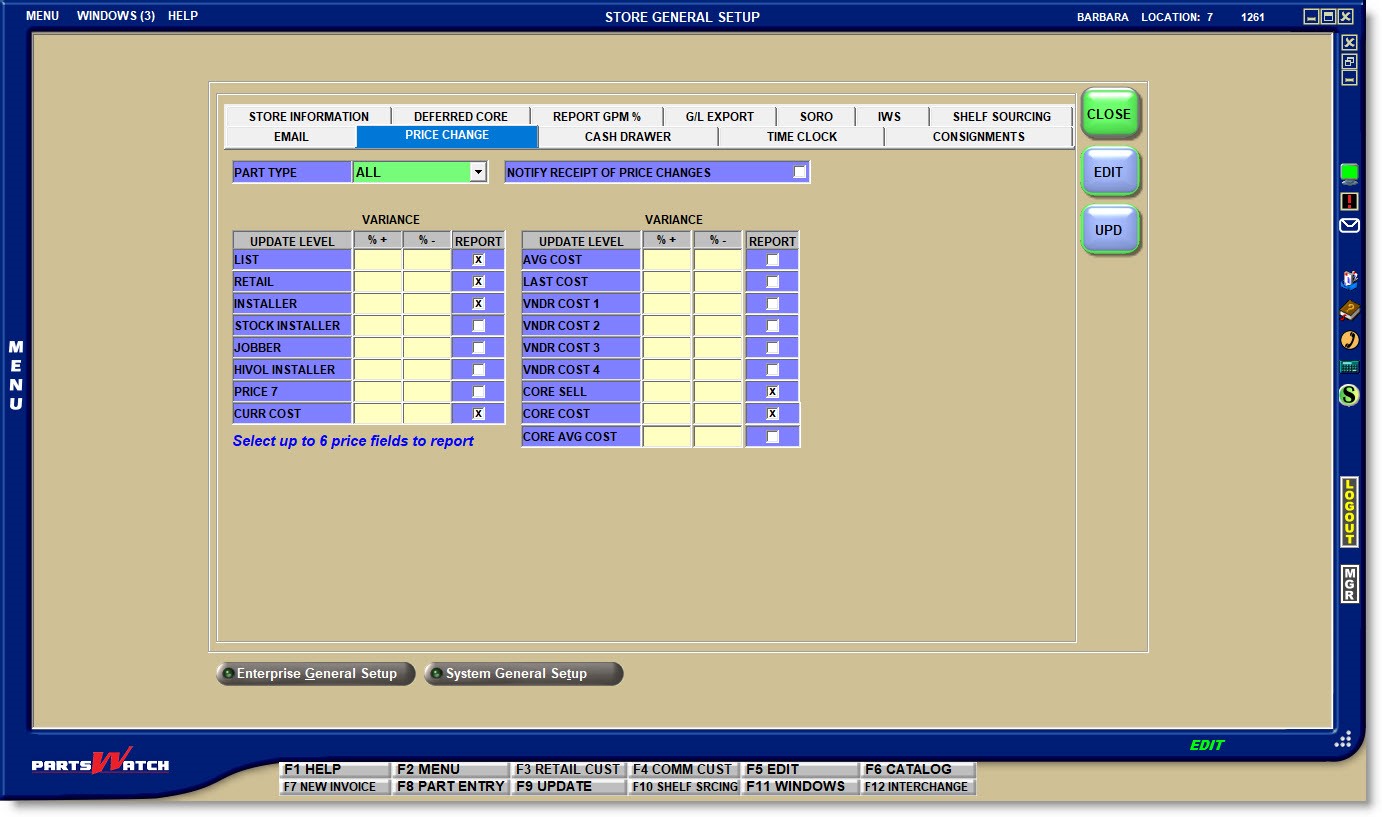
Defaults the 'PRICE CHANGE REPORTS' to be output for:
- 'ALL'
- 'NON STOCKED'
- 'STOCKED'
NOTIFY RECEIPT OF PRICE CHANGES
Enter either the percent of markup in the '% +' column or the amount of discount in the '% -' column for each pricing field under the 'UPDATE LEVEL' for all of the price, cost, and core levels that are used by the store.
Check the checkbox under the 'REPORT' column for up to 6 price fields to report on the 'PRICE CHANGE REPORTS'.